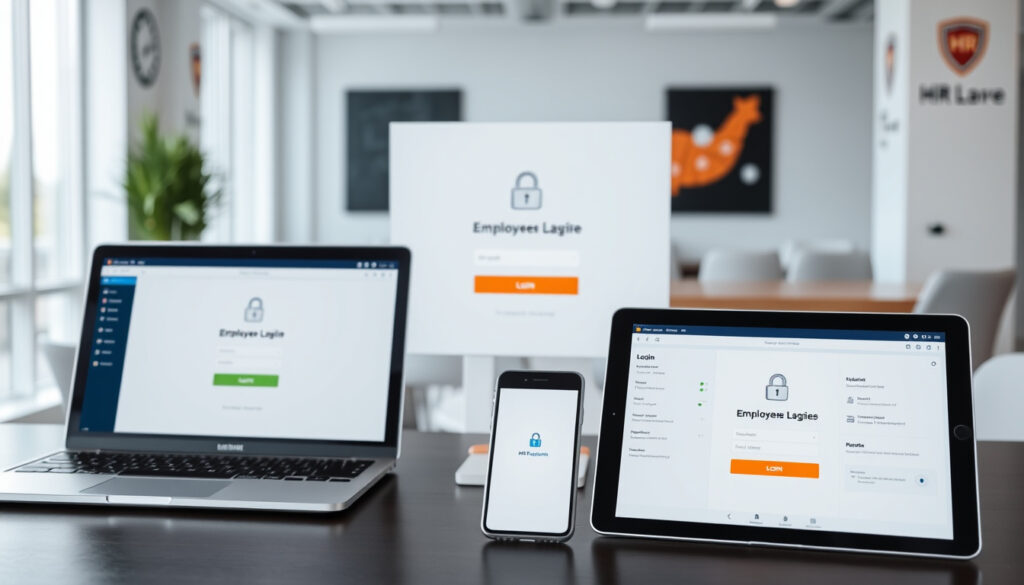
Employment Hero Employee Login: Web, App & MyHR
If you’ve just started a new job in Australia and your employer said “everything’s on Employment Hero,” the first thing you need is a working login. This guide walks you through signing in on the web, through the Employment Hero Work app, and into the MyHR portal — plus what to do when the password won’t cooperate.
Employment Hero users (Australia): over 1 million ·
App Store rating (Employment Hero Work): 4.7 stars ·
Google Play rating (Employment Hero Work): 4.5 stars ·
Countries with dedicated payroll portals: 3 (Australia, New Zealand, Malaysia)
Quick snapshot
- Employee login is done via web portal or Employment Hero Work app (Employment Hero homepage)
- Regional payroll portals exist for Australia, New Zealand, and Malaysia (Launching Employment Hero guide)
- Password reset uses the ‘Forgot password’ link and sends instructions to the registered email (Employment Hero help article)
- Exact login URL for employers using custom domains is not publicly listed
- Whether all employers enable MyHR access for every employee
- Employee onboarding after launch includes 6 steps: set password, verify personal details, complete tax declaration, confirm residency, enter superannuation, upload certifications (Launching Employment Hero guide)
- After login, employees can view payslips, request leave, clock in/out, and manage personal details (Employment Hero homepage)
Employment Hero describes itself as an all-in-one HR, payroll, hiring, and benefits platform, and its homepage says it is Australia’s AI-powered Employment Operating System.
Employment Hero official website
Six key facts about the platform, one pattern: every login path funnels through the same credential system, but the portal URL changes depending on where you work.
| Label | Value |
|---|---|
| Platform name | Employment Hero |
| Employee login URL (Australia) | employmenthero.yourpayroll.com.au |
| Employee login URL (New Zealand) | employmenthero.nzpayroll.co.nz |
| Employee login URL (Malaysia) | employmentheromy.yourpayroll.io |
| Mobile app name | Employment Hero Work |
| App availability | iOS and Android |
How do I log into Employment Hero?
Logging in via the web portal
- Open your browser and go to your regional payroll portal: employmenthero.yourpayroll.com.au (Australia), employmenthero.nzpayroll.co.nz (New Zealand), or employmentheromy.yourpayroll.io (Malaysia) — per Employment Hero’s Launching guide.
- Enter the email address your employer or HR administrator provided — that’s your username, according to Employment Hero’s implementation hub.
- Type your password and click Log in.
The implication: if your employer uses a custom domain, the portal URL may differ — check your onboarding email for the exact link.
Logging in via the Employment Hero Work app
- Download the Employment Hero Work app from the App Store (iOS) or Google Play (Android).
- Open the app and enter the same email and password you use for the web portal.
- If your employer has enabled biometric login, you can use fingerprint or face ID for faster access — noted in Employment Hero’s help article.
The trade-off: the app adds convenience (biometrics, push notifications) but requires the same credentials — no separate app-only account.
Australian employees get the most streamlined path: one set of credentials works across web and app, and the regional portal is pre-configured by the employer. New Zealand and Malaysian users follow the same pattern but with different portal URLs.
The implication: you need the correct portal URL before you can log in.
How do I access my MyHR account?
MyHR account vs Employment Hero account
- MyHR is the employee self-service portal within Employment Hero — it’s where you view payslips, check leave balances, and update personal details, per Employment Hero’s platform description.
- Your Employment Hero login credentials are the same ones you use for MyHR — there’s no separate MyHR username or password.
Steps to access MyHR
- Log into Employment Hero via the web portal or mobile app.
- From the main dashboard, navigate to the MyHR section (usually in the left-hand menu or under your profile).
- Some employers label the employee portal simply as “MyHR” — if you don’t see it, check with your HR administrator, as noted in Employment Hero’s launch documentation.
Why this matters: MyHR is the single place for all your employment records — if you can’t find it, you’re likely missing a key feature your employer has enabled.
Why can’t I log in to MyHR?
Common login issues
- Forgotten password — the most frequent cause. Use the ‘Forgot password’ link on the login page.
- Incorrect username — your username is your work email address, per Employment Hero’s implementation hub.
- Account lockout — after multiple failed attempts, the system may temporarily lock your account. Wait 15-30 minutes before trying again.
- Disabled account — former employees or those who haven’t completed onboarding may have inactive accounts, according to Employment Hero’s NZ onboarding page.
Troubleshooting steps
- Clear your browser cache and cookies, or try a different browser (Chrome, Firefox, Edge).
- Check that you’re using the correct regional portal URL (Australia, New Zealand, or Malaysia).
- If you’re using the app, ensure it’s updated to the latest version from the App Store or Google Play.
- Contact your HR administrator if none of the above works — they can reset your account or confirm your portal URL.
The catch: most login failures are password-related, but if your account was disabled by the employer, no amount of troubleshooting will work — you’ll need HR to reactivate it.
If you’re a former employee and your account is disabled, you won’t be able to access payslips or tax documents through MyHR. Request those records from your previous employer before your access is revoked.
How do I reset my Employment Hero password?
Resetting password via email
- On the login page, click Forgot password.
- Enter your registered email address and complete the reCAPTCHA challenge, as described in Employment Hero’s help article.
- Check your inbox for an email with the subject line Reset Password Instructions — per Employment Hero’s NZ onboarding page.
- Click the link in the email and follow the prompts to set a new password.
Resetting password via the app
- Open the Employment Hero Work app and tap Reset Password on the login screen.
- Tap the HRIS/Employment Hero Work Jobs button during the reset flow, per Employment Hero’s help article.
- A browser window opens inside the app — enter your email, complete reCAPTCHA, and request the reset link.
- Open the reset email on your phone, click the link, and choose Update Password to finalise, as noted in Employment Hero’s NZ onboarding page.
The pattern: whether you reset on web or app, the flow always routes through email — so make sure you have access to the email address on file with your employer.
The app includes work, wages, savings, and benefits in one place, according to the Google Play listing.
App Store listing for Employment Hero Work
Does Employment Hero have an app?
Employment Hero Work app features
- The Employment Hero Work app lets employees view payslips, request leave, clock in and out, and access benefits — per the App Store listing.
- It also includes work, wages, savings, and benefits in one place, according to the Google Play listing.
- Biometric login (fingerprint or face ID) is supported if enabled by your employer.
Downloading the app
- Free to download on iOS (App Store) and Android (Google Play).
- No separate app subscription — employees use it at no cost; the employer pays for the platform.
- Available in Australia, New Zealand, and Malaysia, matching the regional payroll portals.
Why this matters: the app is the primary way most employees interact with Employment Hero daily — if you’re not using it, you’re missing clock-in, leave requests, and instant payslip access.
Related reading: Manage password and how you sign in to Employment Hero Work as an employee · Launching Employment Hero Step-by-Step Guide
seasonsliving.com.au, youtube.com, employmenthero.com, youtube.com, help.employmenthero.com
For a comprehensive walkthrough, including payroll access and account setup, see this detailed Employment Hero login guide.
Frequently asked questions
Can I use the same login for Employment Hero web and app?
Yes. Your email and password are the same across the web portal and the Employment Hero Work app, per Employment Hero’s implementation hub.
What should I do if I forgot my Employment Hero username?
Your username is your work email address. If you’ve forgotten which email you used, contact your HR administrator — they can confirm the email on file, as noted in Employment Hero’s launch guide.
Is Employment Hero login secure?
Yes. Employment Hero uses encryption for data in transit and at rest, and supports multi-factor authentication where enabled by the employer, according to Employment Hero’s platform description.
How do I log out of Employment Hero on a shared device?
Click your profile icon in the top-right corner and select Log out. For extra security, clear the browser cache after logging out on a shared computer.
Can I change my Employment Hero password from the app?
Yes. Open the Employment Hero Work app, tap Reset Password on the login screen, and follow the in-app browser flow to request a reset link, per Employment Hero’s help article.
Does Employment Hero offer single sign-on (SSO)?
Employment Hero supports SSO integration for enterprise customers, but it must be configured by your employer. Check with your HR administrator if SSO is available for your organisation.
More related posts
 Pandora Charms Ireland 2026: Popular, Rare & Cheap
 Kylie Cantrall: Bio, Age, Relationships, and Rise to Fame
 Sylvester Stallone: Biography, Health, Family, and Political Ties
 Bruce Lehrmann: $2m Costs, Theft Charges, Appeal Loss
 Ready Player One: Hit or Flop? Age Rating & LGBTQ Content
 Alisha Newton: Biography, Age, Heartland Departure & More
 99 Nights in the Forest Safety Guide: Is It OK for Kids
 Maisie Williams: Identity, Relationships and Life After GoT
